This AIApply Interview Buddy review covers what the live interview assistant does, how it is set up, what it costs, how it handles your data and when using it is a bad idea. It draws on AIApply's product page and help center, checked on 13 November 2026.
Interview Buddy is one part of a wider job-search suite. For AIApply's resume, cover letter and Auto Apply tools, start with our main AIApply review, and compare other tools in the AI career tools category.
What is AIApply Interview Buddy?
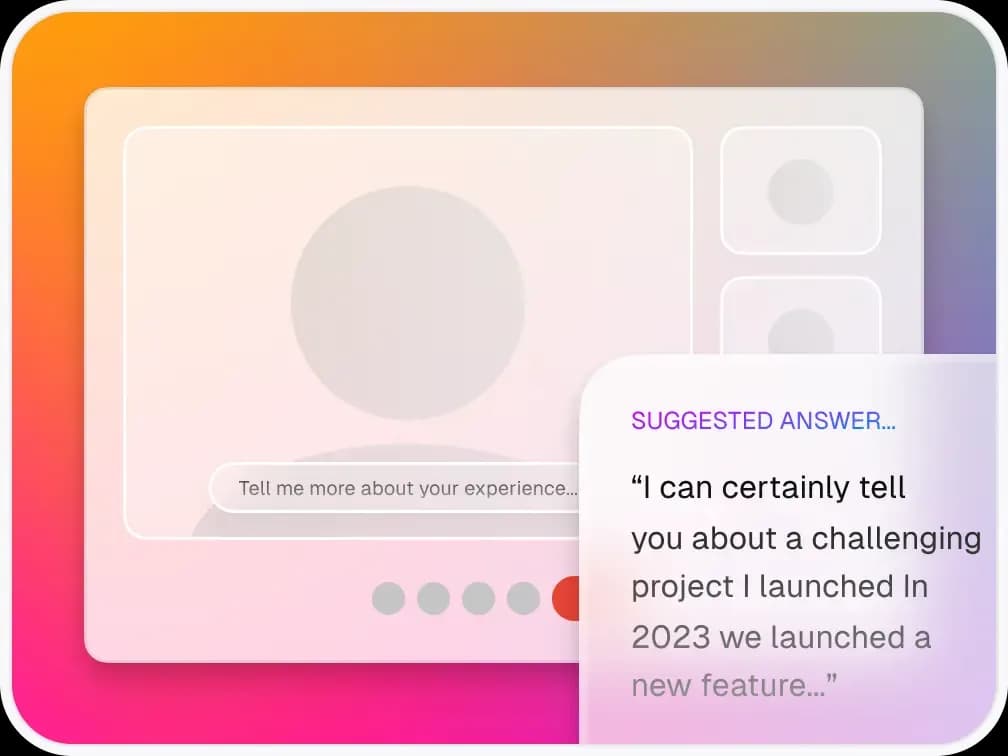
AIApply Interview Buddy is a desktop app that listens to an interviewer during a video call and suggests answers on your screen. It runs on Windows and macOS and is downloaded from AIApply's website.
According to the Getting started with Interview Buddy article, it builds suggestions from your resume and the notes you add about the job and company. No browser extension or mobile version is mentioned. AIApply as a whole holds a 4.3 TrustScore from 2,215 reviews on Trustpilot, though that covers all of its products, not this app alone.
How does Interview Buddy work during an interview?
It transcribes only what the interviewer says and produces a suggested answer. The help center says it "does not capture your microphone", so testing it alone in a quiet room produces nothing.
Setting up a session takes six steps:
- Create a new session and give it a title.
- Upload your resume as a PDF.
- Add notes and context, such as the job description and company.
- Choose short or detailed answers.
- Turn automatic answers on, or use manual mode.
- Click Stop at the end, or the session, feedback and transcript are not saved.
Three keyboard shortcuts control it during a call. Ctrl+R resets the answer, Ctrl+Space sends a screenshot for coding challenges or diagrams, and Ctrl+Enter forces an answer based on the interviewer's last statement.
Which meeting apps does it support?
The help center names Zoom and Microsoft Teams and recommends using their web versions whenever possible. The marketing page also lists Google Meet and "other online interview platforms".
The web-version advice exists because desktop Zoom can show all open windows during screen sharing unless you change a setting. AIApply says the app runs in the background and is hidden during screen sharing.
Interview Buddy supports 10 languages: English, Spanish, French, German, Portuguese, Italian, Hindi, Japanese, Korean and Chinese. Besides job interviews, it offers profiles for sales calls, negotiations and business meetings.
How much does Interview Buddy cost?
Interview Buddy costs USD 19 per month or USD 99 per year with unlimited use, according to AIApply's getting-started article. There is no cap on the number or length of interviews, and the yearly plan works out to about USD 8.25 per month.
AIApply's documentation is inconsistent here. A separate FAQ says mock interviews and Interview Buddy are both available on Premium plans, which cost USD 29 per month. Check at checkout whether your plan already includes it before buying it separately. Any current offers appear on our AIApply coupons page.
Is Interview Buddy private?
AIApply says it never records or stores audio. Sessions, including the transcript, notes, feedback and resume text, are saved only on your own computer with no cloud backup, according to its interview data privacy article.
That has two consequences. Your interview content stays off AIApply's servers, but a lost or wiped computer also means lost session history. The privacy article does not say whether interviewers are notified that an assistant is running.
Should you use a live AI assistant in interviews?
Only where the employer allows it. Many hiring processes treat outside help during a live interview the same way an exam treats notes, and being found out can end your candidacy.
There is also a practical risk. Reading suggested answers can make you sound scripted, and interviewers often ask follow-up questions that a summary of your resume cannot answer. In a Resume Genius survey of 1,000 US hiring managers updated in March 2026, 80% said they can often tell when a resume is AI-written, which suggests recruiters are alert to AI-generated material.
A safer use is preparation. AIApply's text-based Mock Interview tool lets you practise answers before the call, and our AIApply Mock Interview review explains how it scores them.
What problems do users report and how do you fix them?
The most common issues are missing transcriptions and sign-in errors. AIApply's troubleshooting article recommends these fixes:
- Turn off your VPN or switch networks, then restart the app
- Use a quiet room and headphones so the interviewer's audio is clear
- Reinstall only from AIApply's official website
- Remember that the app hears only the interviewer, not you
AIApply's article on sessions that did not work does not mention refunds. Its general refund policy says fees are usually non-refundable, so try the app on a practice call before a real interview.
Is AIApply Interview Buddy worth it?
It can help with recall and structure, but it is only worth paying for if live AI help is acceptable in your interviews. For most candidates, spending the USD 19 on preparation time and mock interviews is the lower-risk choice.
Common questions
Related picks
The products this guide points to, each with its own full review.
More about AIApply
Related articles
More on the same subject.